PLANTIMIZE
Mobile App Prototype
OVERVIEW
My Plantimize app is a project I worked on for the Google UX Design Professional Program. The goal of the app is to help plant owners take better care of their plants. To create its final Hi-Fi Prototype, I started with some User Research to define the needs and features of the app. Then, I worked on the user flows and ended up designing several level of fidelity prototypes to showcase my ideas.
Main challenge
A quick look into the plant care market shows that there are already several apps available for plant owners. However and as stated later into my user research, none of them are satisfying the needs of the potential users I interviewed. To design an app that would actually be used by casual plant owners, my main challenge was to filter the variety of features that could be implemented to take care of plants and center them into one optimized tool.
USER RESEARCH
User Study
I started my project by creating a form that I shared with 13 people to get a better understanding of their needs. I targeted users around 30 years old, male and female, living with indoor houseplants in the city. The most relevant results were those below:
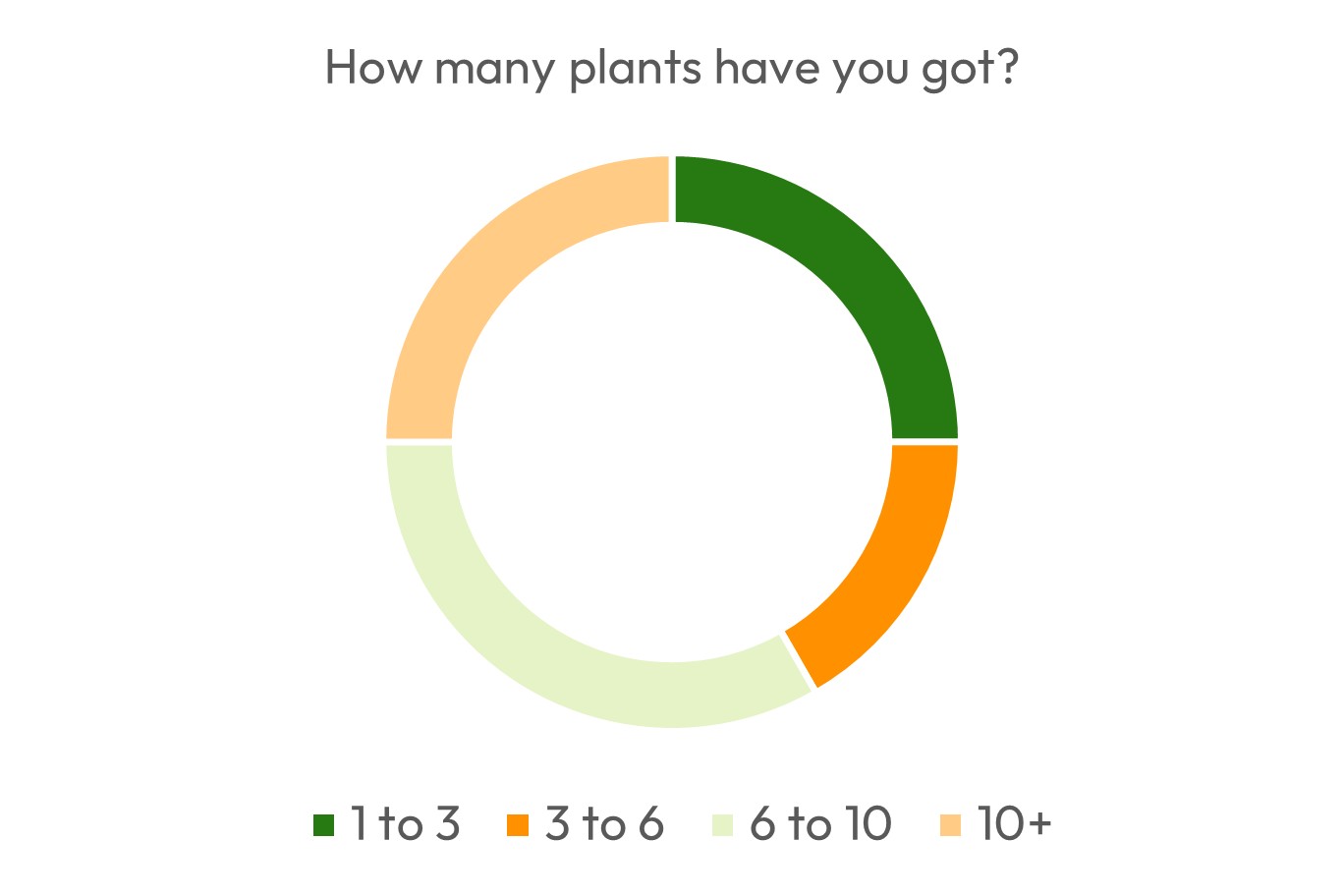
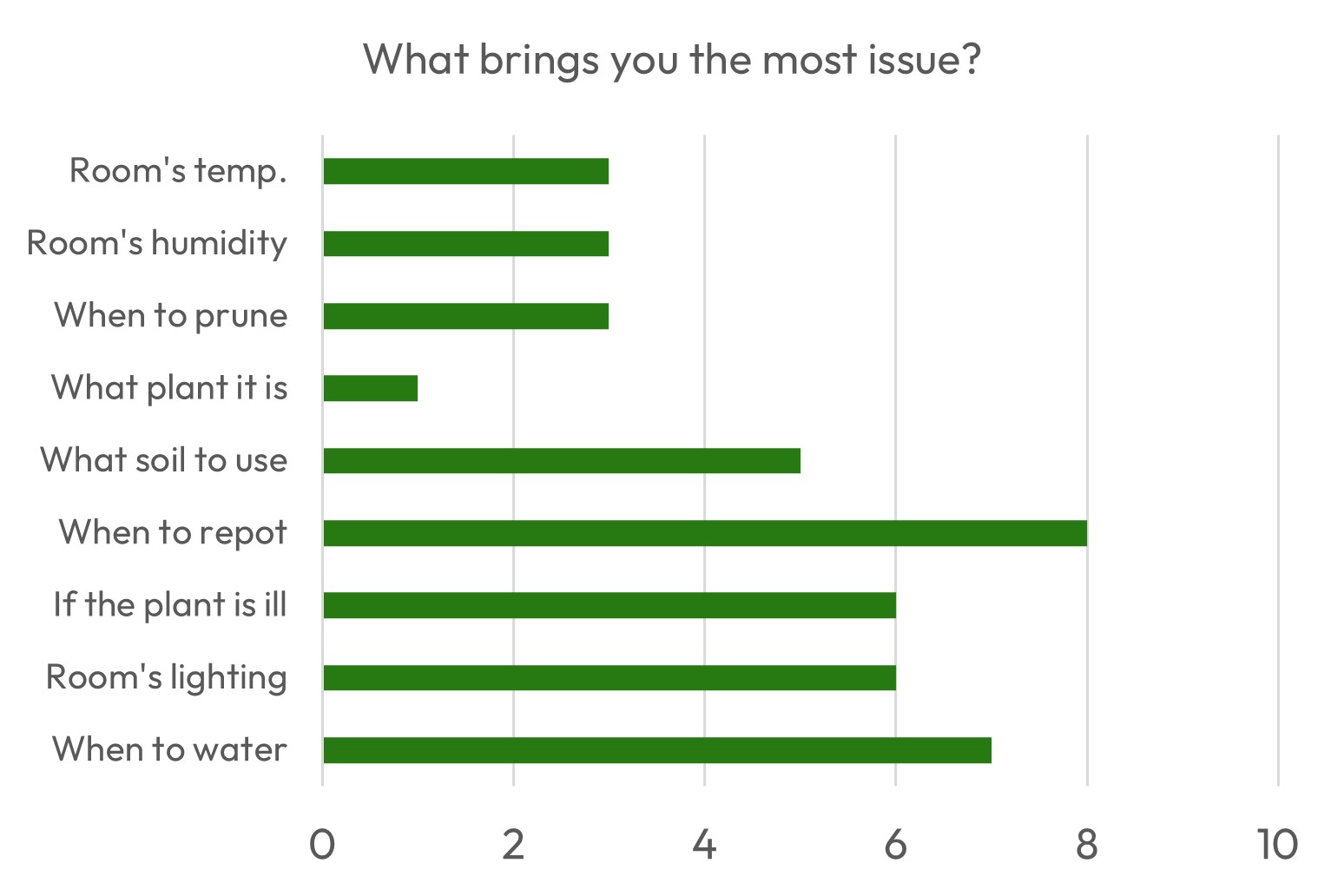
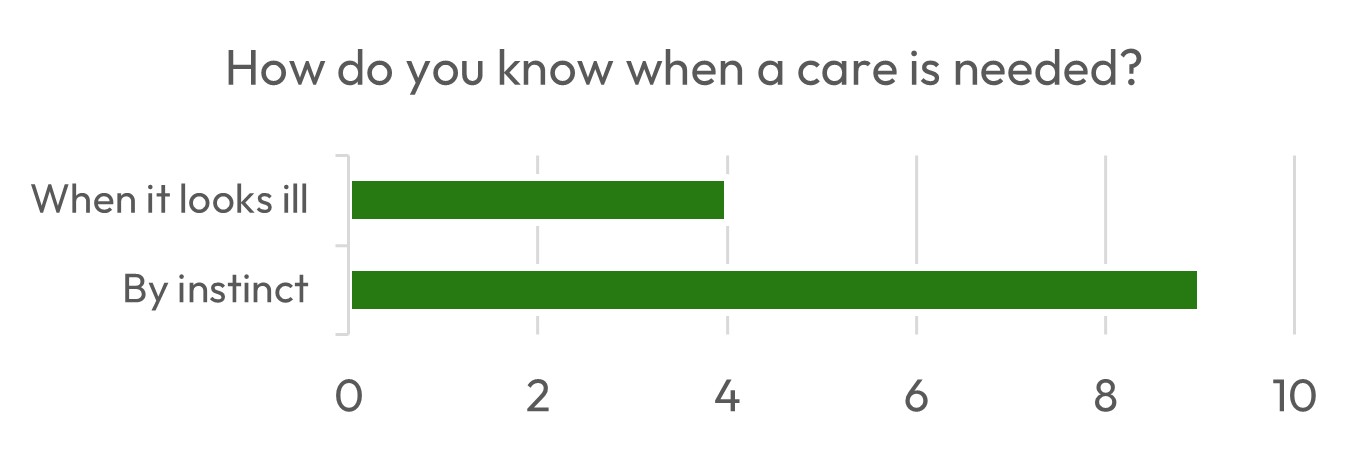
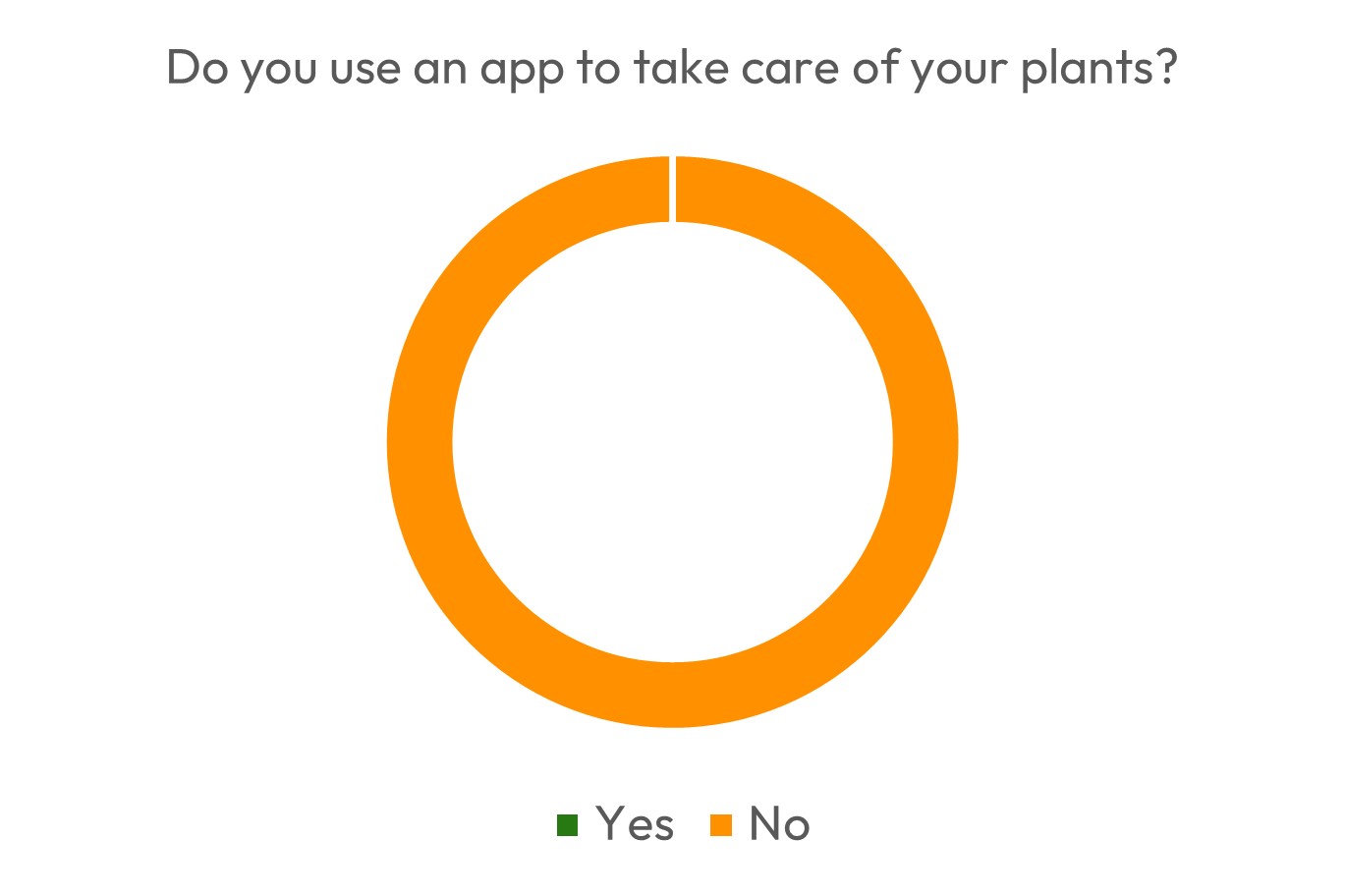
Regarding the use of plant care apps, one user answered that they tried “Plant parent” but weren’t willing to pay for premium features. However, as all users don’t rely on actual documentation and have several issues regarding their plant care, there is a need here that doesn’t seem fulfilled by the market for now.
Competitive Audit
I then analysed my app's main competitors' features and aspect. By using the app myself and regrouping reviews (on the app’s page, on youtube, blogs, …) I could create the table below and get a better view of what lacks and what already works on the market.

Persona
Let's now meet some typical users for my app. They are mostly adults living in large cities, and who would need to optimize their time to take care of their plants.
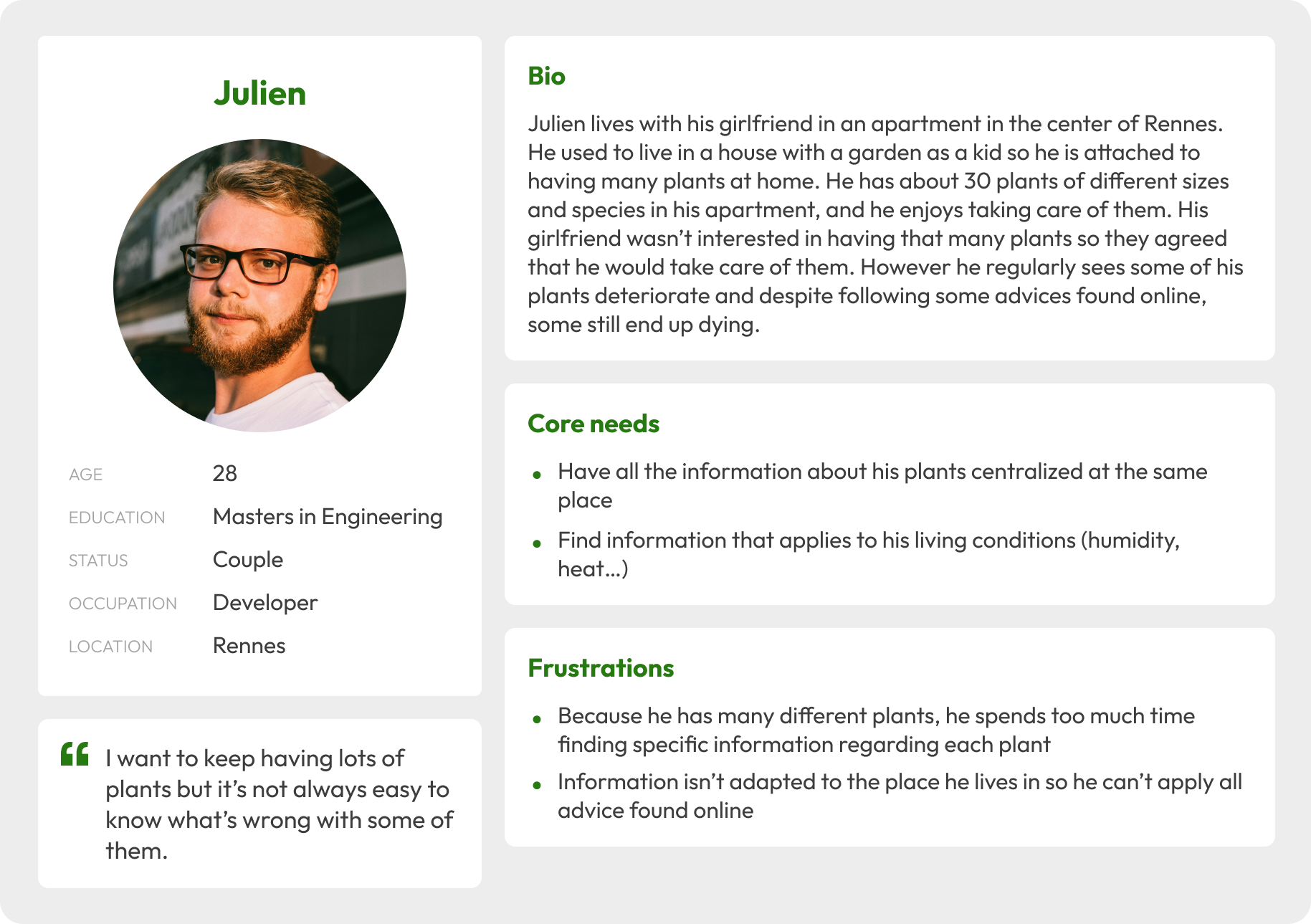
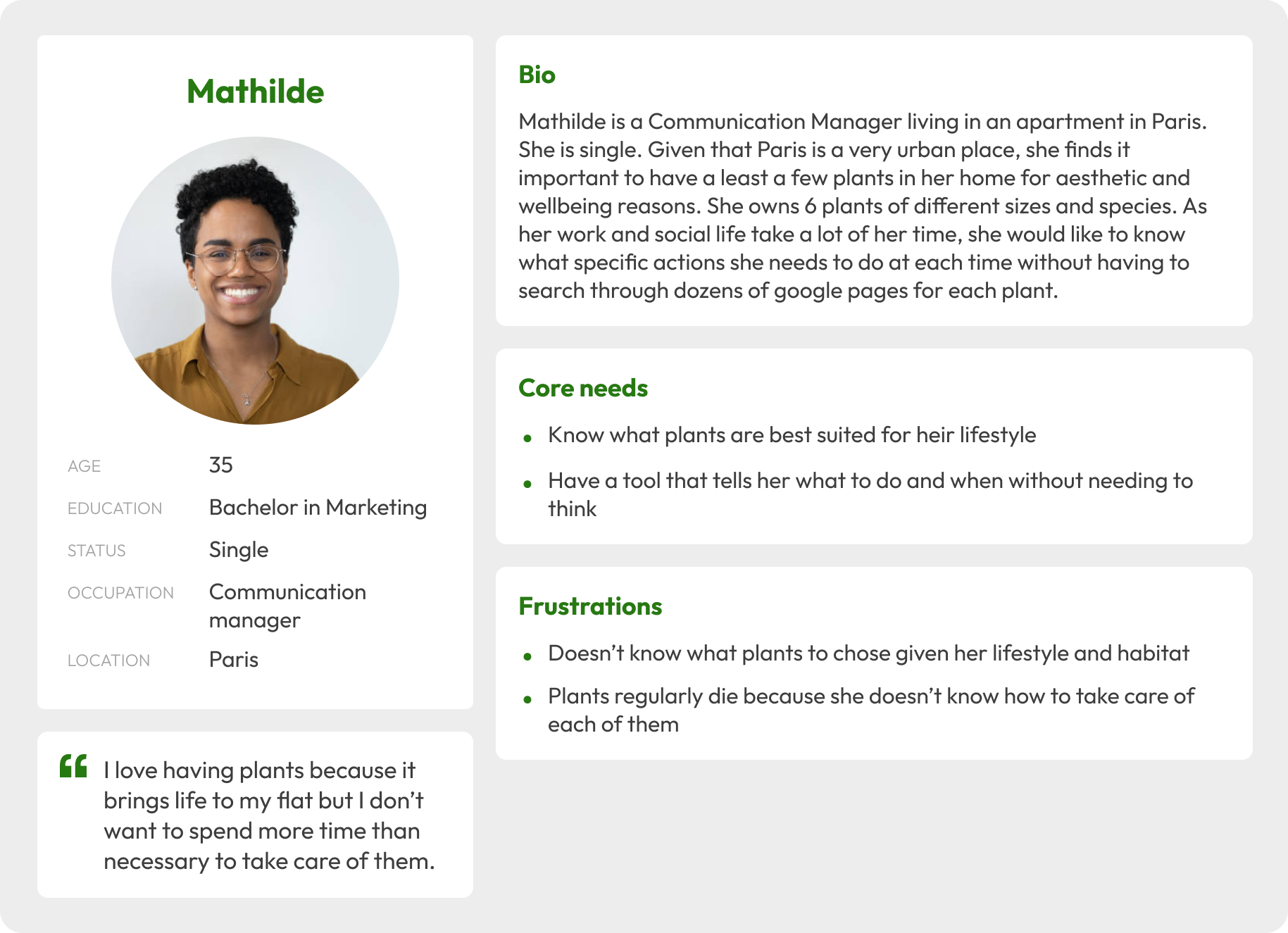
Both Mathilde and Julien have goal statements that the app needs to address.
Goal statement for Mathilde: “As a busy manager, I want know exactly what to do and when so my plants can thrive without spending too much time on research and care.”
Goal statement for Julien: “As a multiple plant owner, I want to have access to centralized and adapted information so I can more easily take care of them without aggregating different advice on internet.”
My goal was therefore to create an easy-to-use app addressed to beginners and users that only want essential and direct instructions to keep their plants in good health. The app would display the main information needed to efficiently take care of the user’s plants while still giving them access to some optional valuable information if needed.
FEATURES SPECIFICATIONS
Features Brainstorm
Given the app’s goal, I imagined several features for my app. I first wrote down my ideas and grouped them into categories. I highlighted “unique” features and greyed out features that I thought would only be interesting to try out once the first version was successful.
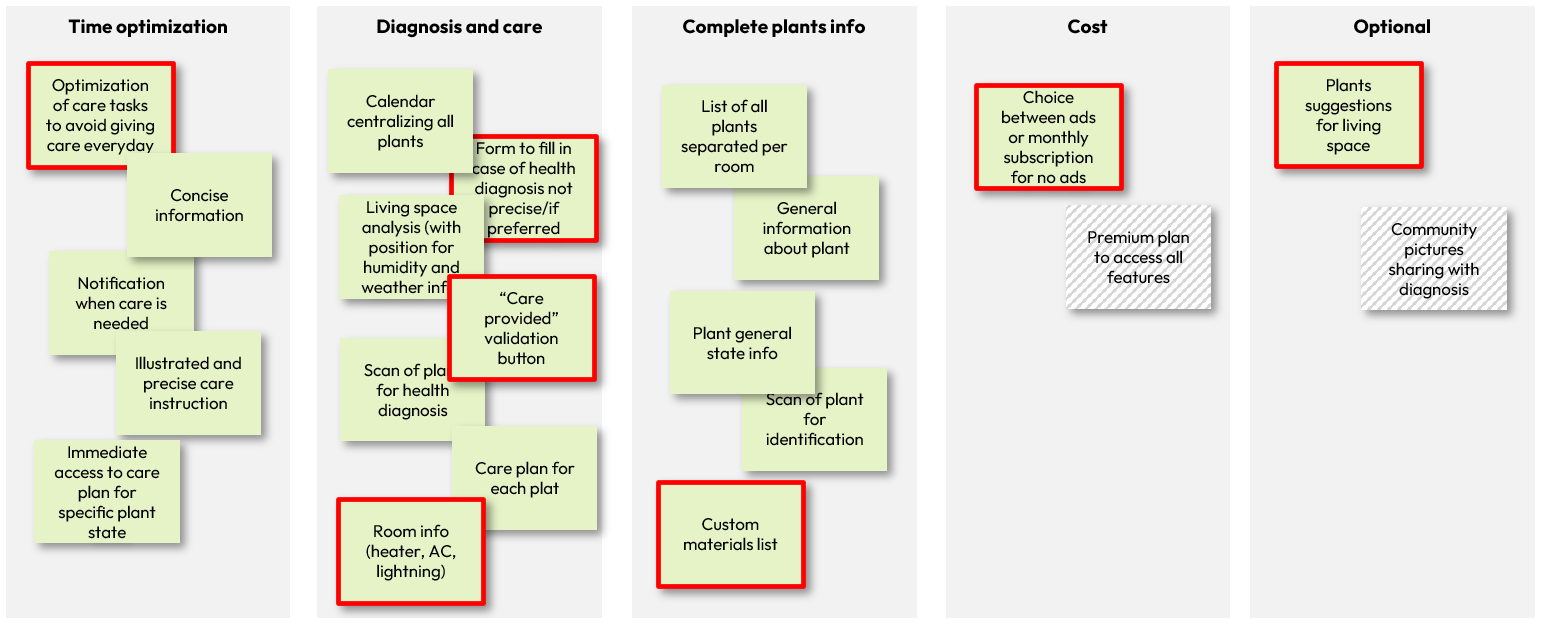
To explain my choices more in depth, I for example added the “form” option for health diagnosis because I realized through reviews and my own testing that the AI used to diagnose the plant’s health wasn’t always correct due to the camera’s quality and could lead to frustrations. I also explored care plannings and realized that if a user wanted to give all the care listed in the plan, they would need to do at least one task almost every day. I therefore imagined a feature that would optimize the plan by regrouping tasks into a more limited amount of day while considering the emergency of each task. For example, watering a plant in good health a day or two later so it could coincide with watering other plants wouldn’t change much and would optimize the user’s time.
Finally, given the fact that all my form responders weren’t willing to pay for premium plans, I wanted to monetize the app through ads and give access to a premium, ad-free plan.
User Flows
I identifies 3 main flows that showcase the main features that distinguishes my app from competitors. These flows are the FTUE, filling in the care To Do list, and optimizing the calendar.
FTUE - User flow

Take care of a plant - User flow

Optimize the calendar - User flow

Sitemap
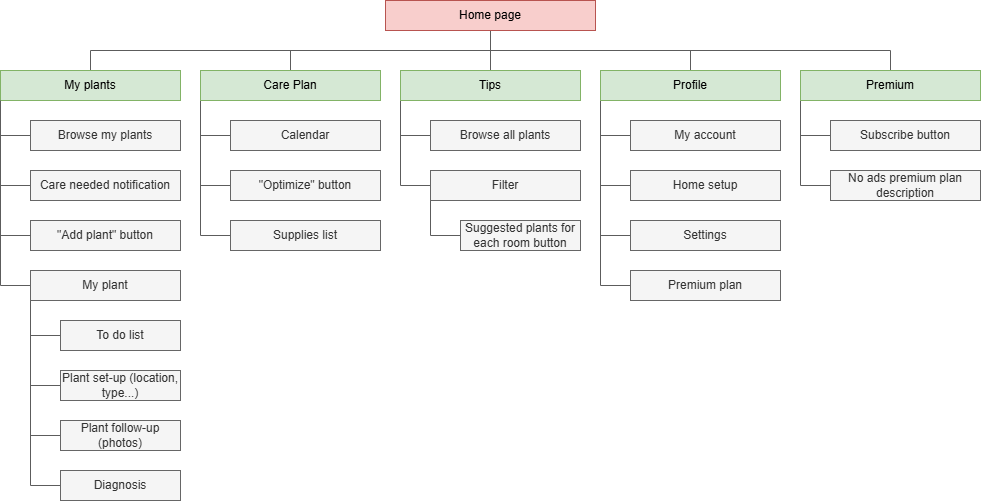
I then created a sitemap to organize the features I had in mind and make sure they were all included in the app.
LO-FI PROTOTYPE
Paper Wireframes
I was now able to start working on my prototype. I started by brainstorming layouts on paper, and iterated on the main screens like the homepage and calendar.
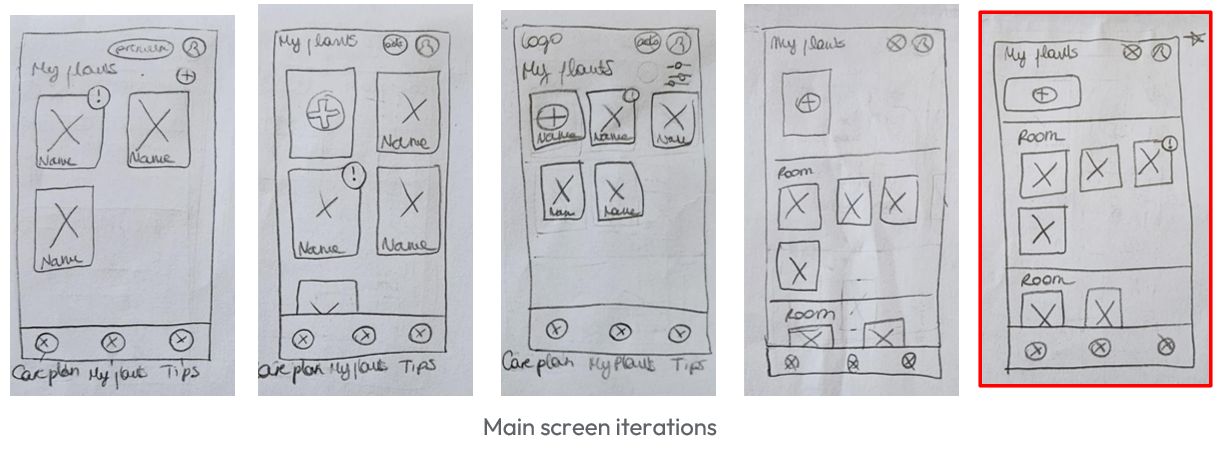
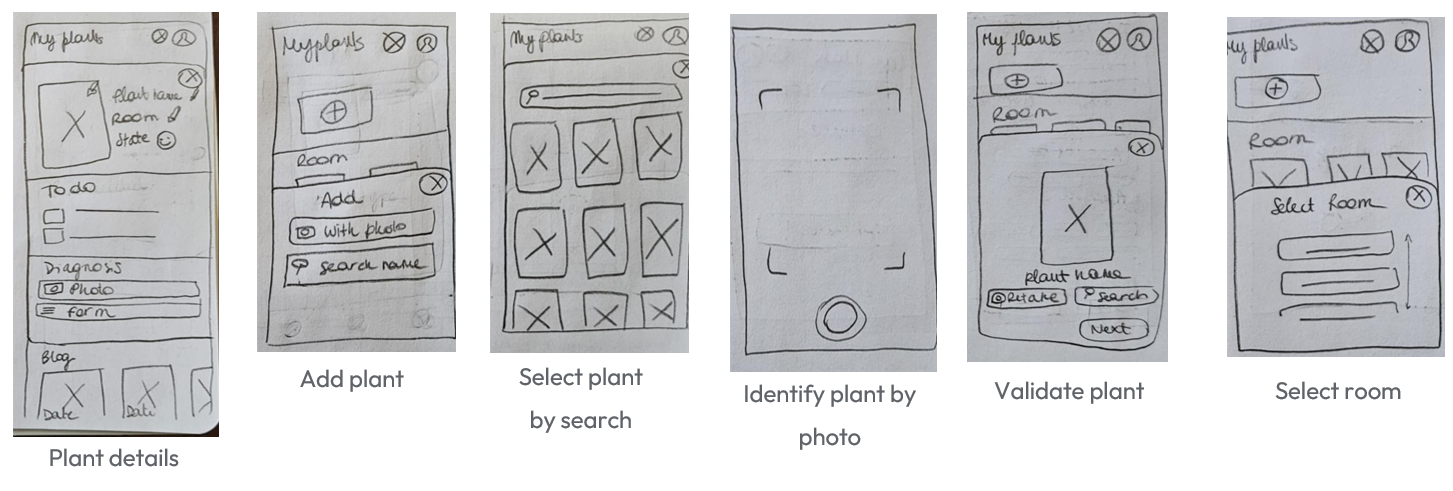
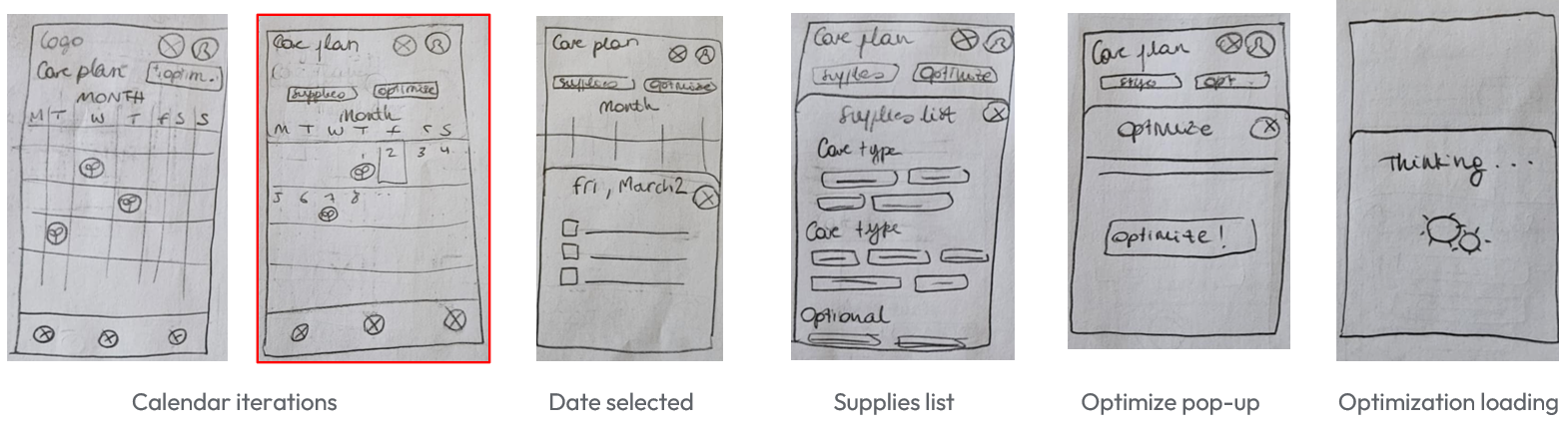
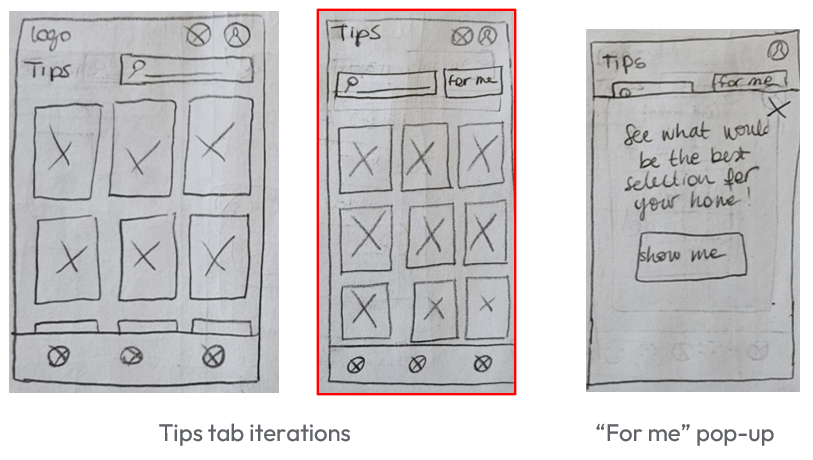
Lo-fi Prototype
For my digital lo-fi prototype, and as I wanted a general overview of what a typical session would look like, I didn’t prototype the FTUE User Flow, but allowed to consult the main features of the app being consulting, adding, taking care of a plant, consulting the tips and consulting, optimizing the calendar.
HI-FI PROTOTYPE
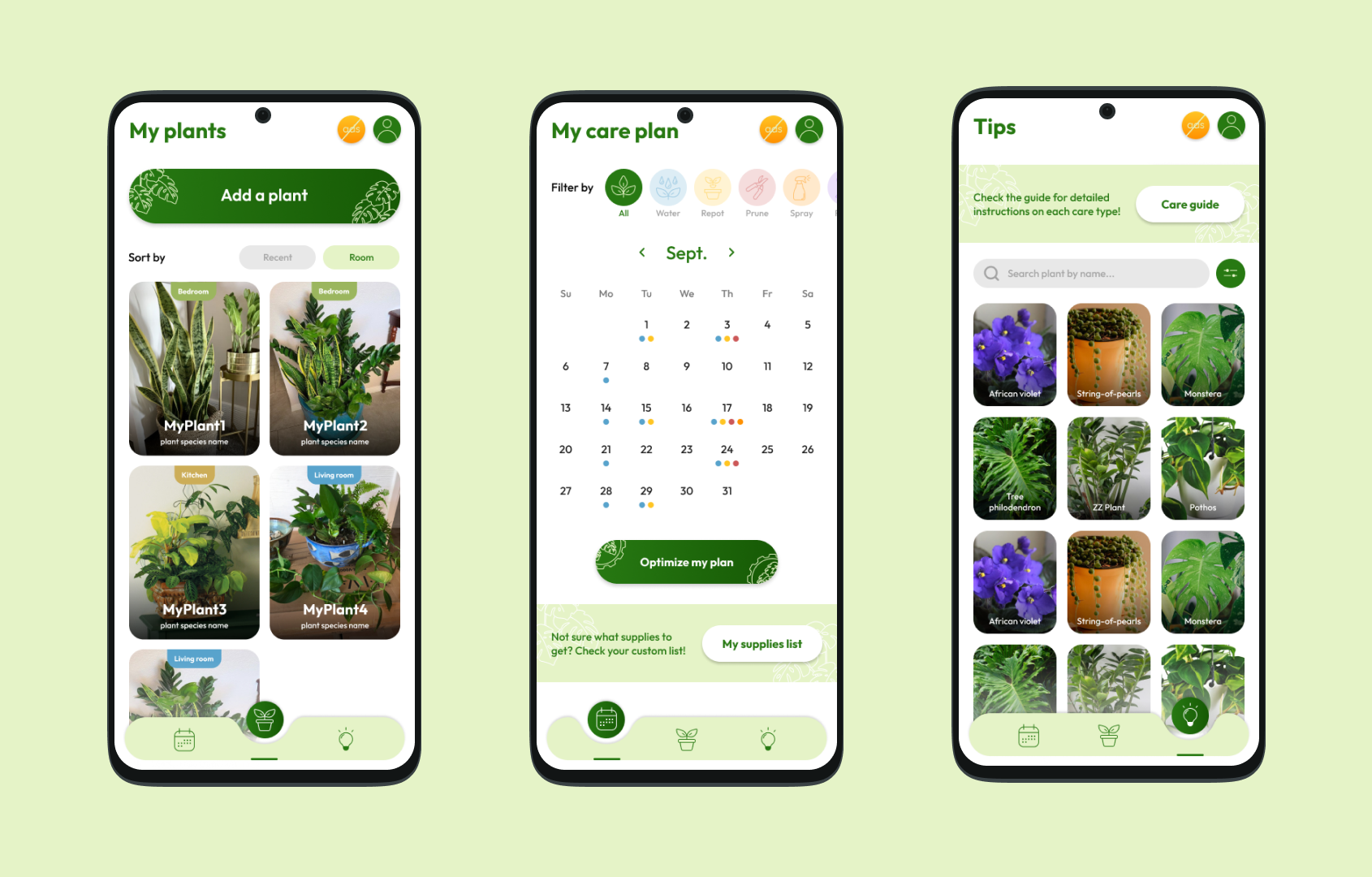
Mockups
The next step was to create mockups of screens of the app. As my target is beginners that want immediate useful information, each screen should be as minimalistic as possible with main features displayed right from the start.
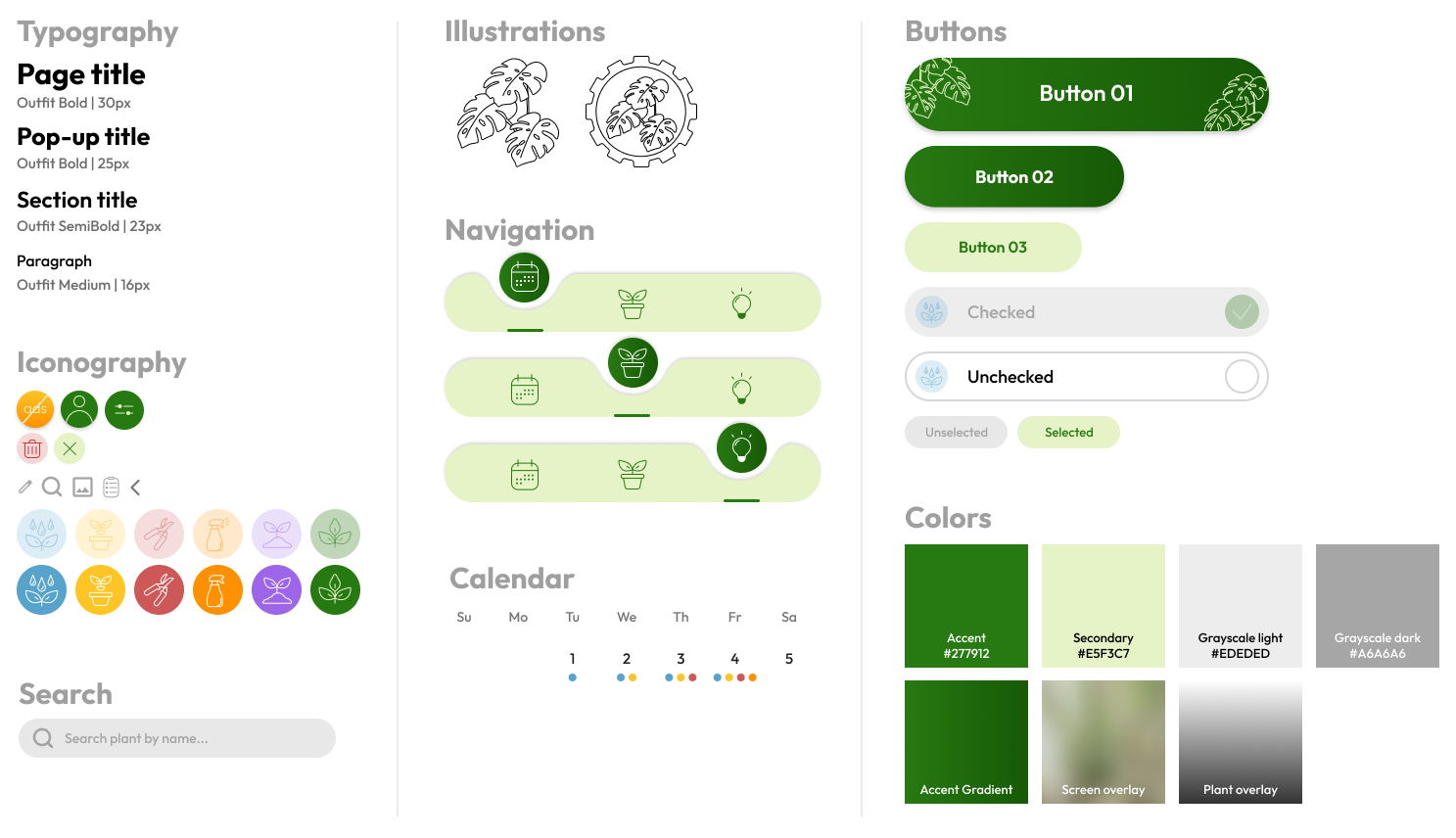
Design System
Once I was satisfied with my mockups, I created a design system that would help me fill in the other pages of my prototype. I went for a green and white color palette to evoke a sense of nature and freshness, rounded edges and typography to soften the overall look, as well as some few colorful accents to differenciate with one look the different cares needed.
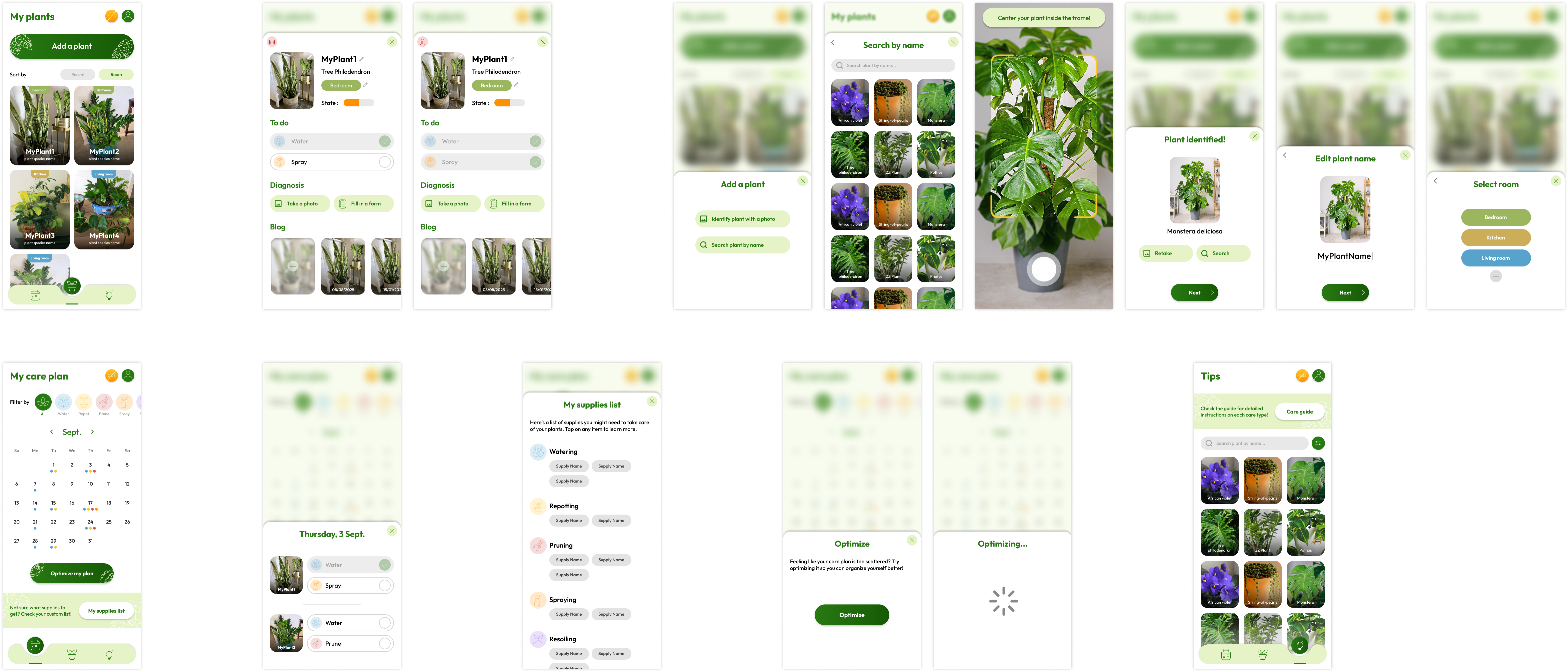
Hi-fi Prototype
Finally, I was able to create the hi-fi prototype for my app following the structure defined into the lo-fi prototype section.
TAKEAWAYS
If we compare Plantimize with other plant care apps on the market such as Plant Parent, it may feel like it lacks content and features. However, the goal of this project was to design an app that would be used by casual plant owners. As stated earlier, the users I interviewed were mostly beginners and did not want to be overwhelmed with too many features as their goal was to keep their plants healthy and alive without going too far into plant care (growing fruits, growing new plants, etc.).
Future steps would be to actually test the prototype with users and pinpoint any issues or areas of improvement. I also made the bet of monetizing via ads and an ad-free premium feature to avoid users feeling like they are being pushed to buy things they don't need. I would be curious to see if this strategy would be successful in the long run.